![apifon-full-lock-up-purple-1.png]](https://kb.apifon.com/hs-fs/hubfs/apifon-full-lock-up-purple-1.png?height=40&name=apifon-full-lock-up-purple-1.png)
Task Roadmap
To get started:
From the Dashboard menu, go to Reports > SMS Tracking.
In the SMS Tracking section, you can find SMS campaigns you have sent in the past and quickly check key details, such as:
- Message ID
- Sender ID
- Destination number
- Date sent
- Network
- Current status of the message
You can also customize your view:
- Select the number of rows to display per page
- Choose which columns to include or exclude in your results

The status of a message may be Refused, Undelivered, Delivered, Pending, or Uncategorized.
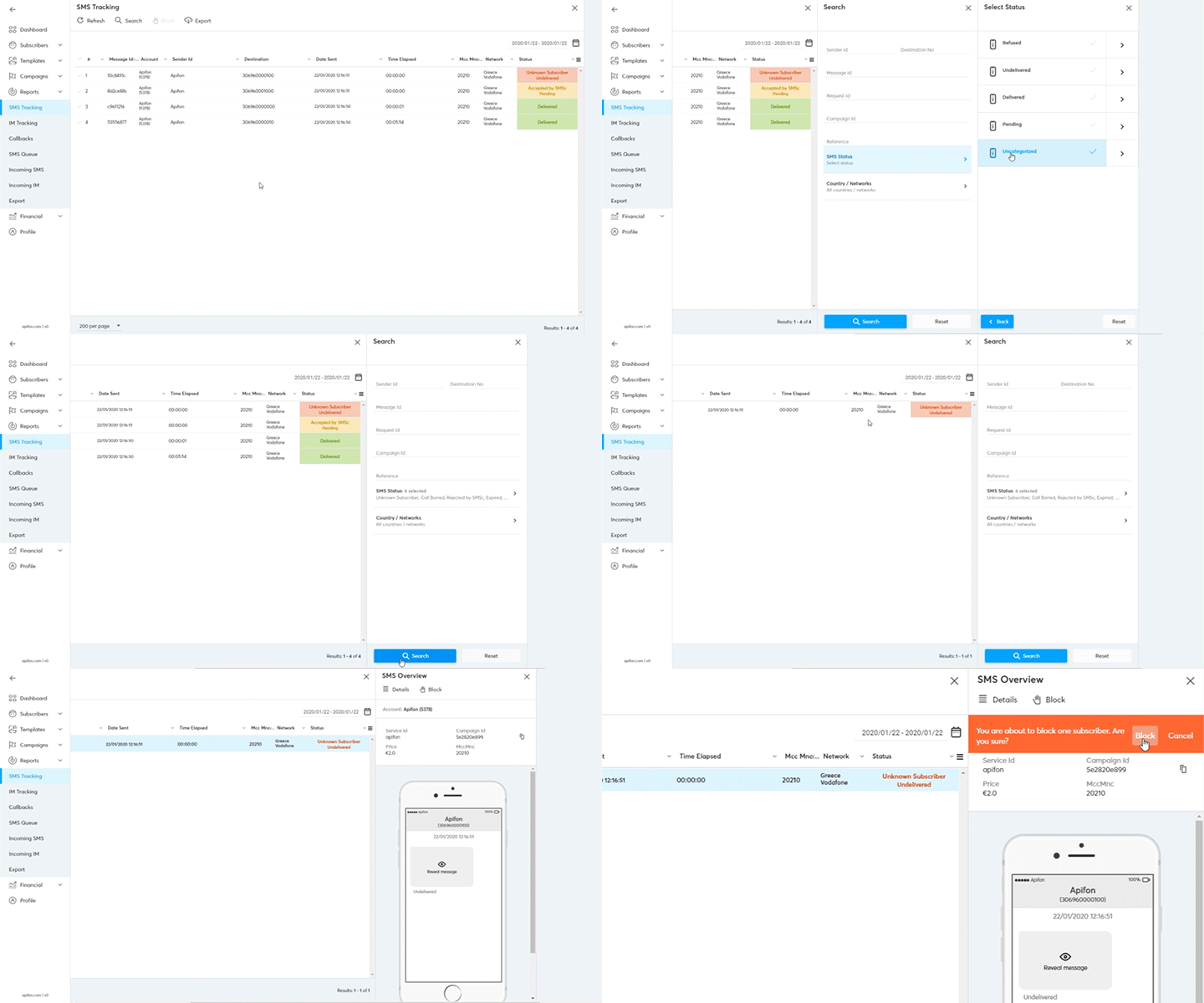
A. Search and Block
To search for a specific SMS or filter results:
- Click Search from the SMS Tracking menu.
- You can search for an SMS by:
- Sender, Message, Request ID, or Campaign ID
- Status or Network
To track a specific SMS:
- Select a message from the results to see its overview and technical details.
- If needed, you can block a subscriber directly from the list to prevent future messages from being sent to them.
B. Export Subscribers
To export your SMS Tracking results, follow these steps:
- Click Export from the list menu.
- Enter a name for your exported file.
- Select the number of rows to export (or export all).
- Choose your preferred file format (.xlsx or .csv).
- Click Export.
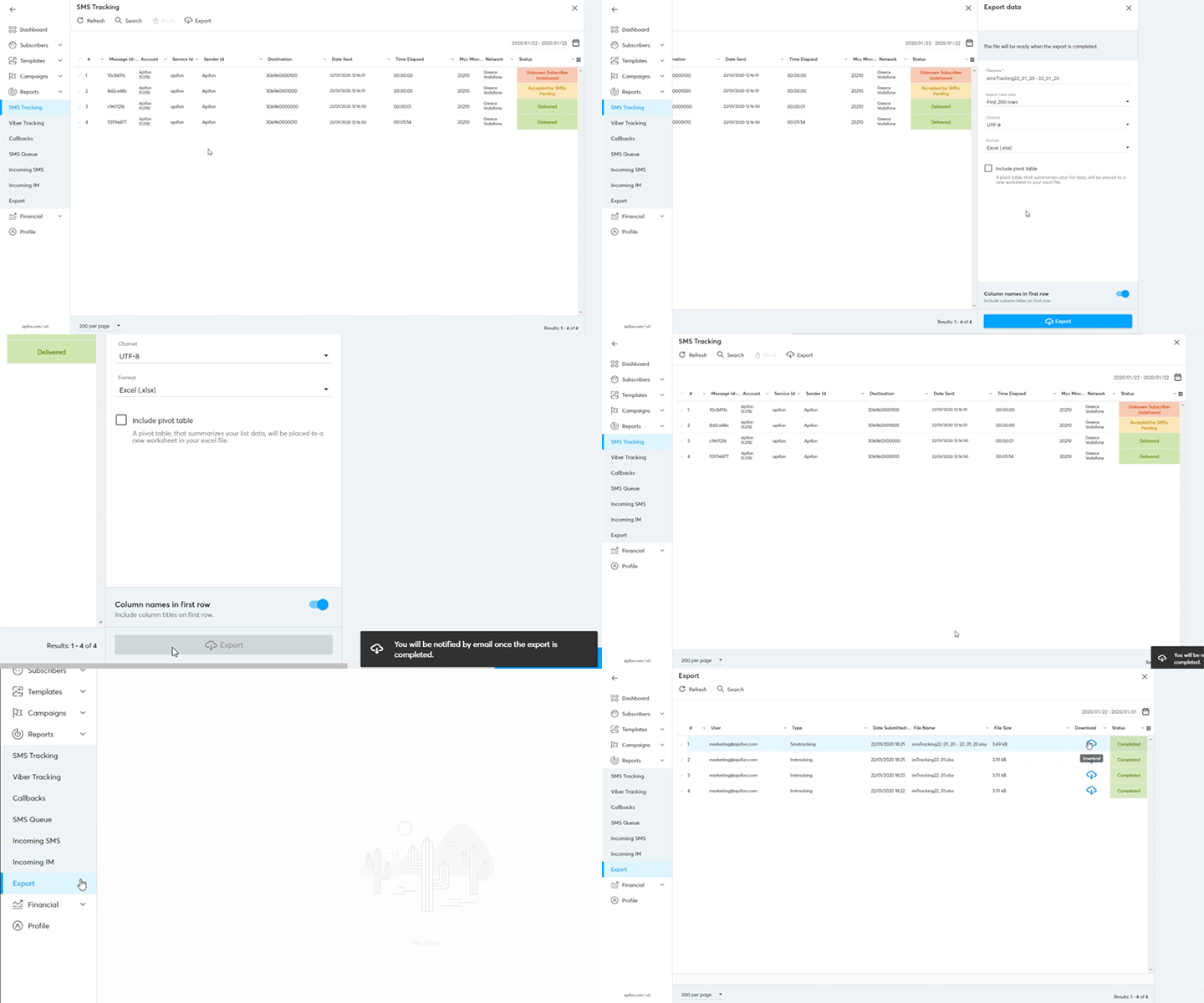
You’ll receive a notification email once your export is ready.
You can read more about Export SMS Tracking here.
Now you know how to track an SMS message.
Thank you for reading!